
For Prismm and AllSeated users
Moving on from Prismm? Bring your floor plans to Plasey
Since August 26, 2026, new events can only be created in Cvent Event Diagramming, and access to Prismm, formerly AllSeated, ends in June 2027. If you’re choosing where to seat your events next, Plasey works on the same venue floor plans and keeps working on the day, with a seat finder for every guest, a kiosk and check-in.
No account needed. Nothing is saved until you sign up.
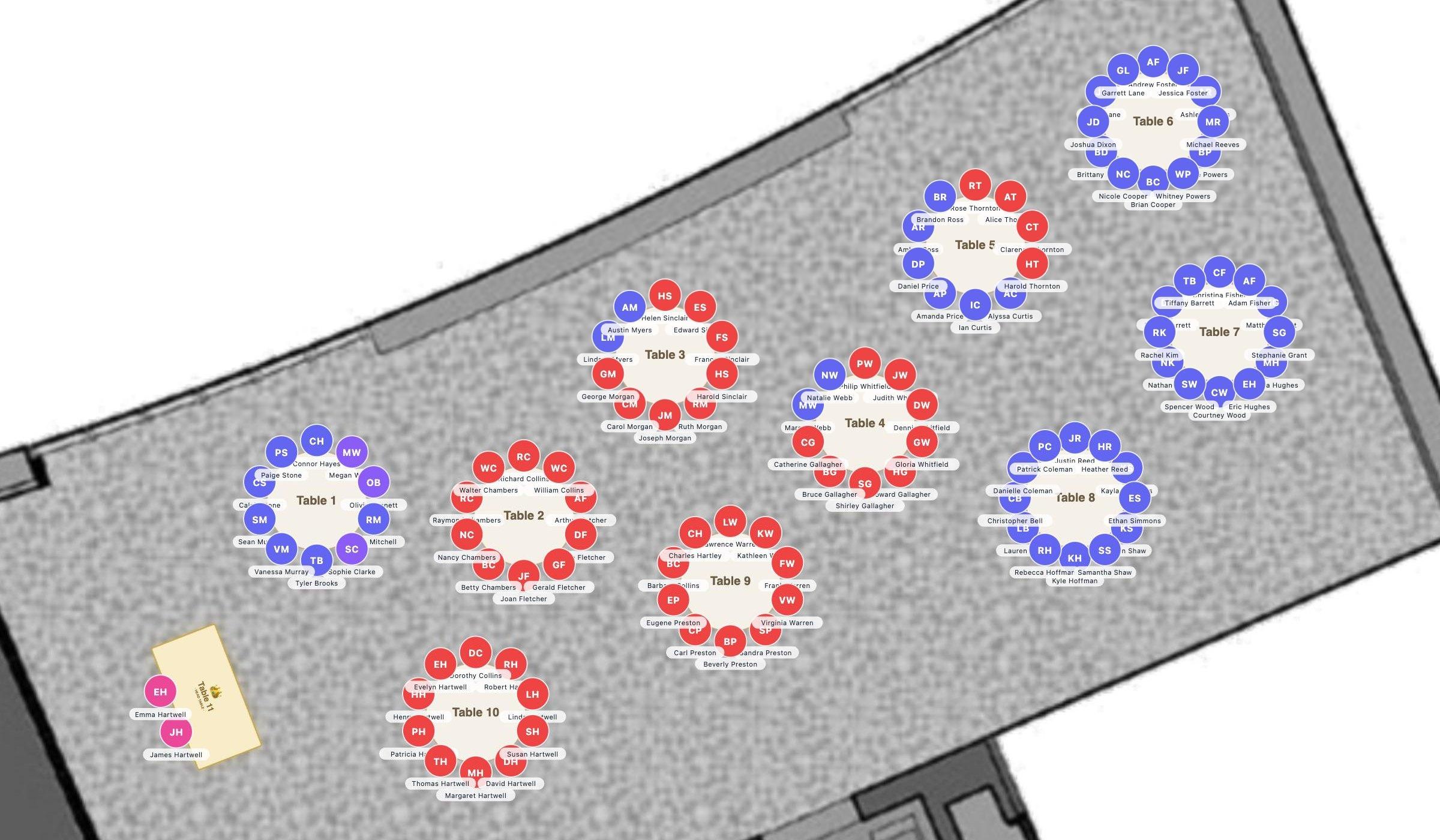
How it works
From Prismm to Plasey in four steps
- 1
Export what you want to keep
Cvent advises exporting the Prismm floor plans and reports you want to keep before access ends in June 2027.
- 2
Upload the floor plan
Upload the venue’s drawing to Plasey as a PDF or an image. With Plasey’s AI, the scan finds the tables and counts their chairs; you can also place them by hand.
- 3
Bring in the guest list
Paste it, or upload a CSV or Excel file from any app. Columns for tables, sit-with and keep-apart become seating rules, and importing the list again updates the guests already there.
- 4
Seat it and publish
Seat by hand, with Smart Fill or with Auto-Seat, then share the guest link and QR code, and set up the kiosk and check-in for the day.
What you get when you move
The venue’s own floor plan
Charts sit on the real drawing, and venues can publish their rooms for planners to start from.
Seating rulesWith a paid plan
Sit together, keep apart, a fixed table and the accessible table, checked on every chart.
A seat finder for every guest
A link and a QR code on every plan. Guests see their seat on the floor plan, with no app to download.
A kiosk by the doorWith a paid plan
A welcome screen in your design, an A–Z list and a QR code that hands the seat to the guest’s phone.
Check-in from a link
Volunteers check guests in on their own phones, with each guest’s table beside their name.
Priced per event or per planner
One event from $149, or Studio from $99 a month for a planner’s whole calendar.
Questions
- Is Prismm shutting down?
- Prismm is moving into Cvent Event Diagramming. According to Cvent’s Prismm migration FAQ, new events can only be created in Cvent Event Diagramming since August 26, 2026, and existing Prismm events stay editable through June 2027, when Prismm access ends. Prismm workspaces now live inside Cvent Event Diagramming, and work made in Prismm stays there, view only.
- Can I bring my Prismm floor plans to Plasey?
- Bring the venue’s drawing: upload it to Plasey as a PDF or an image (save a CAD drawing as a PDF first). With Plasey’s AI, the scan finds the tables on it; you can also place them by hand. Prismm layouts don’t import into Plasey directly.
- I run a venue. Will you set up my rooms?
- Yes. Send your floor plans to hello@plasey.com and we’ll set up your rooms on Plasey for free. Plasey stays free for your venue until Prismm access ends.
- How is Plasey different from Cvent Event Diagramming?
- Cvent Event Diagramming is built for event and venue diagrams across Cvent’s platform. Plasey is built for seating: rules for who sits where, a seat finder for every guest, and a kiosk and check-in on the day, priced per event or per planner.
- What does Plasey cost?
- It is free for up to 15 guests. A Signature license covers one event: $149 for up to 250 guests, $449 for 750, or $999 for 2,000. Studio covers a planner’s whole calendar from $99 a month.
Sources: Cvent: Prismm migration FAQ
Seat your next event on Plasey.
Free for up to 15 guests · Signature from $149 per event · Studio from $83/mo billed annually, with Plasey’s AI · See plans