
Plasey’s AI
An AI seating chart that keeps every rule
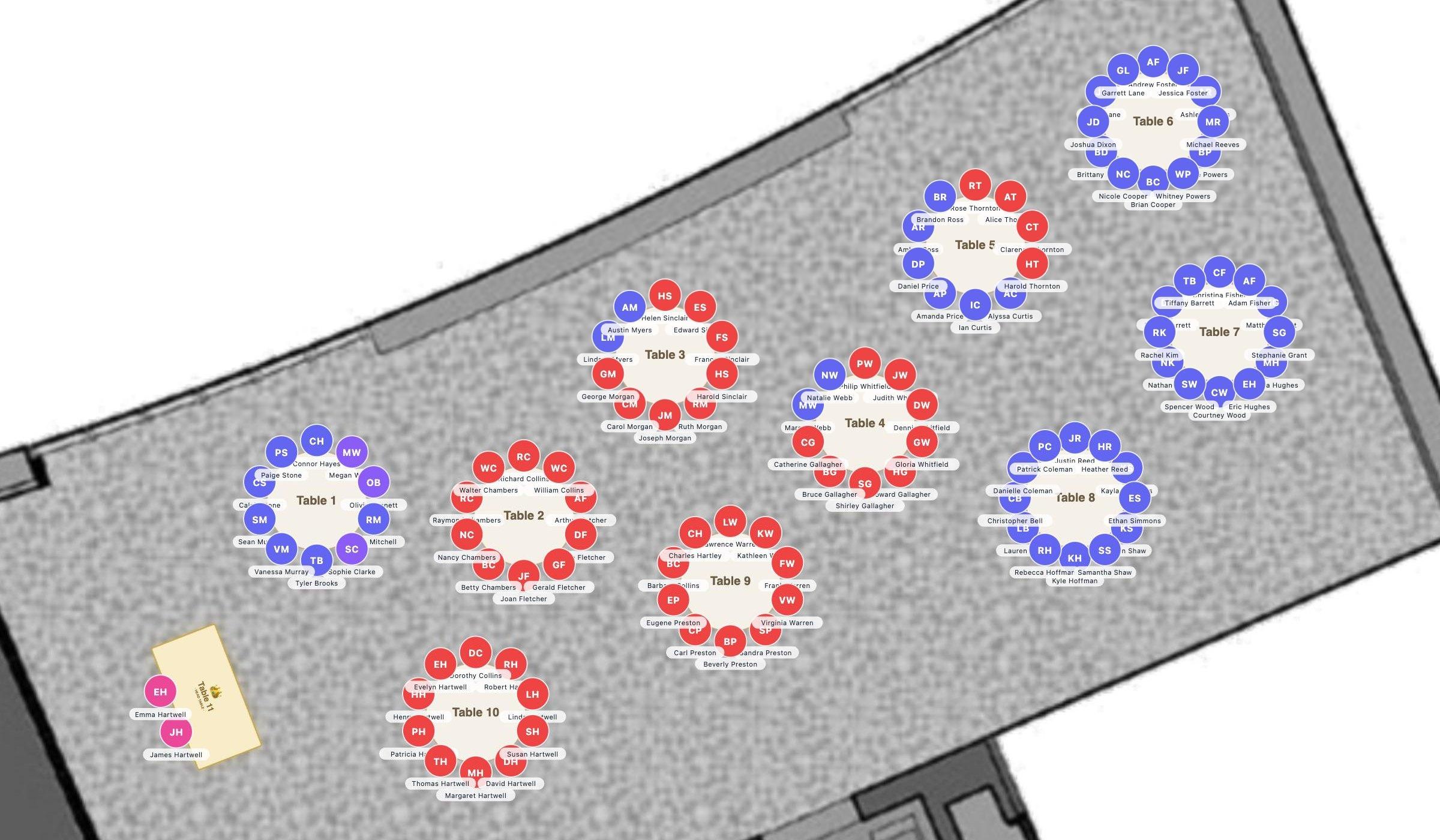
Tell Plasey who sits together, who sits apart and who needs the accessible table. Auto-Seat seats the whole guest list on your floor plan, explains each table in a line, and checks every rule before it hands the chart back. Guests you have already placed stay where you put them.
No account needed. Nothing is saved until you sign up.
How it works
How Plasey seats a room
- 1
Scan the floor plan
Upload the venue’s drawing. Plasey finds the tables, reads their shapes and sizes and counts the chairs, then checks each table against the drawing’s own lines. No drawing? Describe the room (“15 round tables of 10 and a head table of 8”) and Plasey lays the tables out.
- 2
Add your rules
Type them (“Seat the Hartwell family together”), pick guests from the list, or bring them in as spreadsheet columns.
- 3
Auto-Seat
Plasey seats everyone by the rules, keeping couples, households and groups together, and writes a line per table on why it sits that way.
- 4
Ask for changes
“Move Table 7 next to Table 3.” Each request happens on the chart at once, and one undo takes it back.
AI that answers to your rules
Rules checked in code
Every seating the AI proposes is checked against your rules in code. A guest whose seat breaks one is moved to a seat the rules allow, or left waiting with a note, before you see the chart.
Your placements stay put
Auto-Seat seats the guests still waiting and leaves the ones you placed where they are. Re-seat everyone, which asks first, starts the room over.
Reasons you can read
A line per table explains the choice, so you can walk a client through the chart.
Floor-plan scanWith Plasey’s AI
Finds the tables, their sizes and their chairs on a PDF or an image of the plan, and flags any it is unsure of.
Changes in a sentenceWith Plasey’s AI
The Assistant takes requests about guests and tables in plain English, typed or spoken.
No AI? Smart Fill
Smart Fill seats households and groups together without AI, on every plan, and keeps your rules on a paid plan.
Questions
- Can AI make a seating chart?
- Yes, when it has the facts: the room, the guest list and your rules. Plasey’s Auto-Seat seats the whole guest list, then checks the result against every rule, because a seating chart has exact constraints that should not be left to a guess.
- Does the AI keep my together and apart rules?
- Yes. The rules are checked in code after the AI answers, and a guest whose seat breaks one is moved to a seat the rules allow, or left waiting with a note, before you see the chart. Auto-Seat leaves the guests you have placed yourself where they are.
- Can Plasey read my venue’s floor plan?
- Yes. Upload a PDF or an image and the scan finds the tables, their shapes, sizes and chair counts, and sets them on the plan for you to confirm. Tables it is unsure of are flagged for a look.
- Which plans include Plasey’s AI?
- Plasey’s AI and seating rules come with every paid plan. Smart Fill, which seats without AI, comes with every plan, the free one included.
More of what Plasey does
Seat your next event on Plasey.
Free for up to 15 guests · Signature from $149 per event · Studio from $83/mo billed annually, with Plasey’s AI · See plans