
Guest seat finder and kiosk
A digital seating chart every guest can search
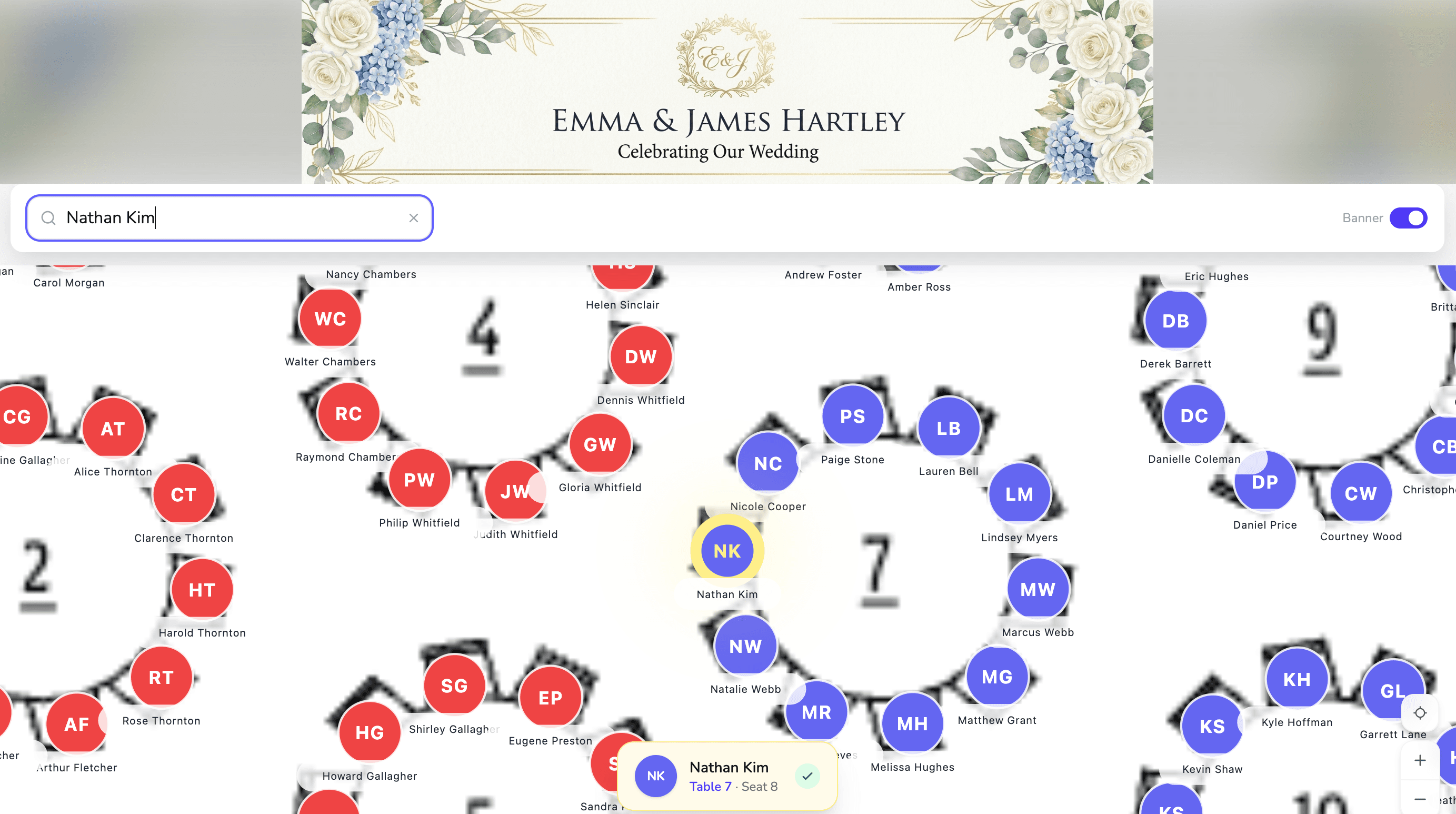
A digital seating chart replaces the printed board and the crowd in front of it. With Plasey, guests scan a QR code or tap a link, type their name, and the venue’s floor plan zooms to their chair. At the door, the same chart runs on a tablet as a kiosk.
No account needed. Nothing is saved until you sign up.
How it works
Live in four steps
- 1
Publish the chart
Your seating chart becomes a guest link and a QR code.
- 2
Put the QR code where guests arrive
On the welcome sign, the program or a card at the entrance. Guests scan it with their phone’s camera; there is no app to download.
- 3
Set the kiosk by the door
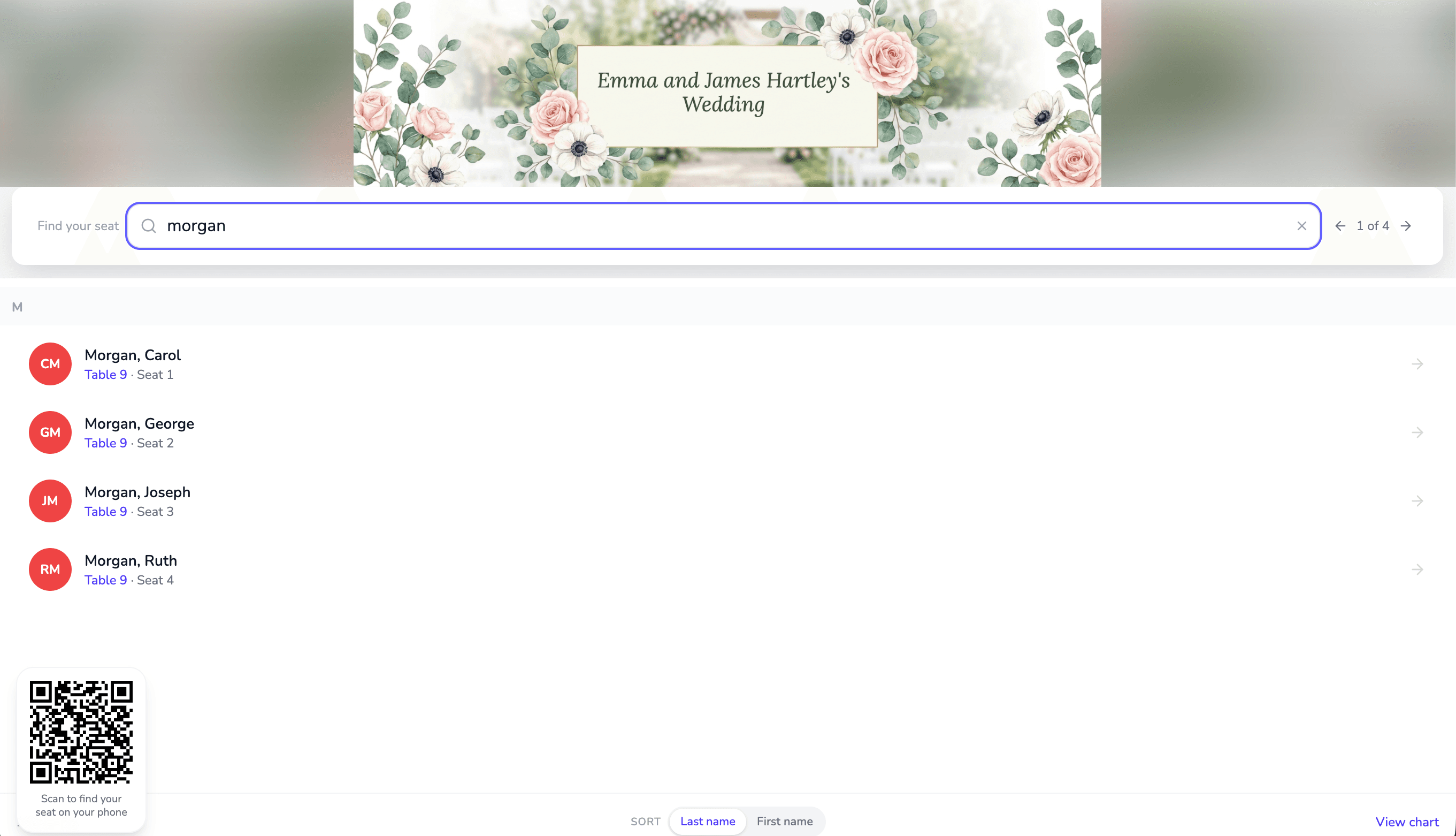
Open the kiosk link on a tablet. It shows a welcome screen in your design, lets guests search or browse A to Z, and hands the seat to their phone with a QR code.
- 4
Change seats until the last minute
Every guest who opens the link, or comes back to it, sees the current chart, and an idle kiosk refreshes itself every minute.
Better than a board, kinder than a list
Search by name
First name or last name, on any phone. The chart zooms to the guest with their table and seat.
The real room
Guests see where their table stands in the room, not just its number.
Kiosk modeWith a paid plan
A welcome screen, an A–Z list and a QR handoff, and it resets itself between arrivals. If the Wi-Fi drops, it keeps finding seats from the chart it has.
In your designWith a paid plan
Names, typography, photos and logo, on the phone and the kiosk alike.
Private by design
Guests see names and seats only, never contact details or notes, and guest links are kept out of search engines.
Paper too
Print the escort listing for a traditional card table and, on a paid plan, a welcome sign with the QR code.
Questions
- What is a digital seating chart?
- A digital seating chart is a seating chart guests look up on a screen instead of a printed board or escort cards. Each guest searches their name and sees their table, and in Plasey their place in the room, on their own phone or on a kiosk at the entrance. Because it is online, the host can change seats until the event starts without reprinting anything.
- How does a QR code seating chart work?
- You print one QR code on your welcome sign or program. Each guest scans it with their phone’s camera, which opens your seating chart; they type their name and the chart shows their seat. One code serves every guest, so there is nothing to personalize or reprint.
- Do guests need to download an app?
- No. The guest link opens in the phone’s browser, from the QR code or a link you send.
- What can guests see?
- Names and seats only. Contact details, dietary needs, notes and accessibility information are never shown on the guest view.
- Can guests be told their table but not a seat?
- Yes. In the chart’s Share settings, set What guests are told to Table only: the guest link, the kiosk and check-in then give each guest their table without a seat number.
- Is the digital seating chart free?
- The guest link and its QR code come with every plan, including the free one for up to 15 guests. The kiosk comes with every paid plan, from the event’s first day to two weeks after.
More of what Plasey does
Seat your next event on Plasey.
Free for up to 15 guests · Signature from $149 per event · Studio from $83/mo billed annually, with Plasey’s AI · See plans